BLANK.
Language
Free · no account

SMALL MOMENTS. ONE GOOD STORY.

Free online photo collage maker.

Made wonderfully simple.

Turn 3–9 photos into one beautiful story. Start with a smart layout, make it yours, and save a JPG or PNG. No signup, no watermark.

Your photos, a better story.

Drop photos here or browse your device

3–9 photos · JPG / PNG / WebP / GIF
Standard editing stays on your device.

Free · No account · No watermark

PHOTO STORIES / 001 Six licensed food and landscape photos arranged by this collage editor
Example made with licensed photos ↗

Turn 3–9 photos into one good-looking picture

No app to install: choose photos, pick a layout, save the image.

Photo order

0 / 9

Photos are processed in your browser and are not uploaded.

Preview

3:4 · 1200 × 1600
Your collage will appear here At least 3, at most 9 photos.

Layout

Cells follow each photo’s shape to crop less.

Ratio

Colors

Colors come from your photos, and the text color adapts.

Photo display

Suggested text

    Tap one to use it, or write your own.

    Title and textSuggested text

    This suggested text will appear in the saved image. Tap “Show more” for another set, or rewrite or clear it.

    Style details

    3D subject

    Separate upload

    Lift the cover subject out of its frame. Optional: the cover photo is sent to our background removal service.

    3:4 · 1200 × 1600

    01 /

    Good memories deserve a beautiful layout.

    Real photos. Real exports from this editor. Try a set, then make a collage with your own moments.

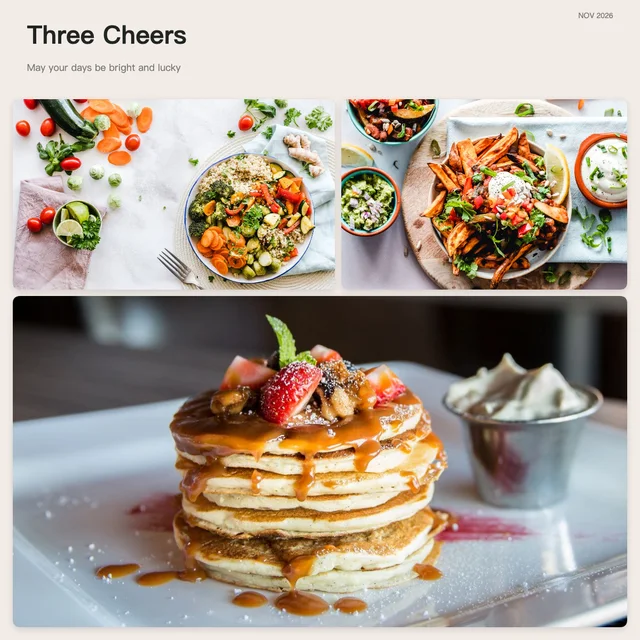
    A three-photo food collage with salad, vegetables and pancakes

    Food & little rituals

    A three-photo landscape collage with a lakes and mountains

    Travel & weekends

    A three-photo pet collage with cats and puppies

    Favorite faces

    Photo credits ↗

    02 /

    From camera roll to frame-worthy.

    1. 01 /

      Choose photos

      Pick 3–9 JPG, PNG, WebP or GIF files, up to 20 MB each. GIFs become still images.

    2. 02 /

      Find your layout

      Start with smart recommendations or try all six layouts and four aspect ratios.

    3. 03 /

      Make it yours

      Reorder photos, adjust each crop, choose colors and rewrite or clear the suggested text.

    4. 04 /

      Save your collage

      Export JPG or PNG at 1200 pixels wide, or 1080 × 1920 for 9:16. On phones, use the image preview to save or share.

    Two ways to put photos together

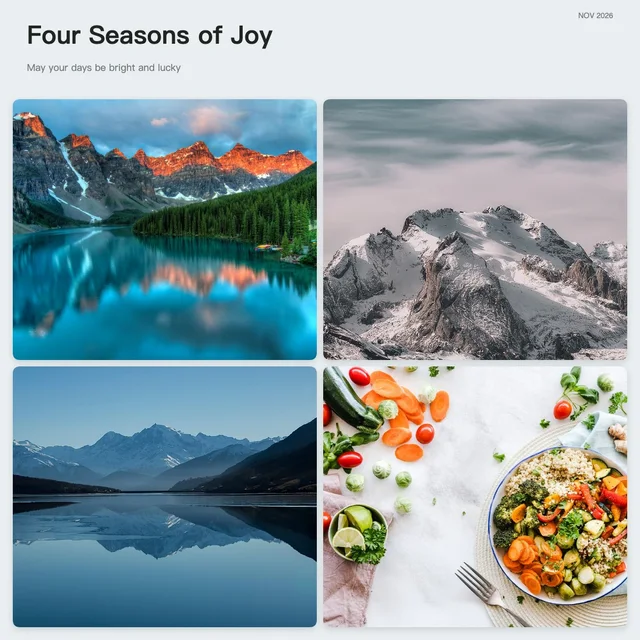
    Four travel and food photos arranged in a square 2 by 2 grid

    Make a 4-photo grid

    Choose four photos, select Clean grid and set the ratio to 1:1. Adjust the spacing, then save the 2 × 2 grid as a JPG or PNG.

    Salad, vegetables and pancakes combined in one square picture

    Combine 3 photos into one picture

    Choose three photos and select Smart layout to arrange them. Reorder or adjust the crops, then save all three together as one JPG or PNG.

    03 /

    Your photos. Still yours.

    Standard editing and export happen in your browser. Photos and captions are not uploaded or saved in online history. Style preferences stay on this device; refreshing clears your selected photos. A handoff from Image Toolbox temporarily stores photos in this browser and deletes them when read, or expires after 30 minutes. Optional cover cutout on the SIDRO site uploads only that photo after you agree. It is not available on the international site. We use self-hosted Umami to count visits and successful photo selection, collage generation and export actions. Events contain counts and preset choices, never photos, filenames or captions. Do Not Track and Global Privacy Control disable analytics. Example-photo sessions are excluded from these success events.

    04 /

    A few good questions.

    Is the photo collage maker free?

    Yes. Standard collage editing and JPG/PNG exports are free, with no account and no watermark.

    How many photos can I use?

    Use 3–9 photos. JPG, PNG, WebP and GIF are supported, up to 20 MB and 24 million pixels per photo. GIF is used as a still image. HEIC is not supported; convert it first.

    Can I change the grid and colors?

    Yes. There are six layouts, four ratios, photo-based color palettes, spacing, rounded corners and editable text. “Show entire photo” keeps the whole picture with space around it; “Fill frame” may crop edges.

    Can I make a collage on my phone?

    Yes. Choose photos, edit the live preview and generate JPG or PNG. Use the result image to save or share. In an in-app browser, you may need to open Safari or Chrome to download.

    Will my photos be uploaded?

    Regular collage editing never uploads your photos. On the SIDRO site only, optional cover background removal has a separate consent step before uploading that cover photo.

    Your image is ready

    Download file

    Choose the photos to use